Making project information controlled, traceable and usable.
We manage the production, sharing and delivery of models, documents and project data by the right people, at the right time and within defined rules.
The aim is more than storing files. It is to keep project information current, reliable and traceable.
The model is only one carrier of project information.
BIM workflows manage more than models. Documents, issue records, revisions, approvals, parameters, technical data and delivery packages are managed together.
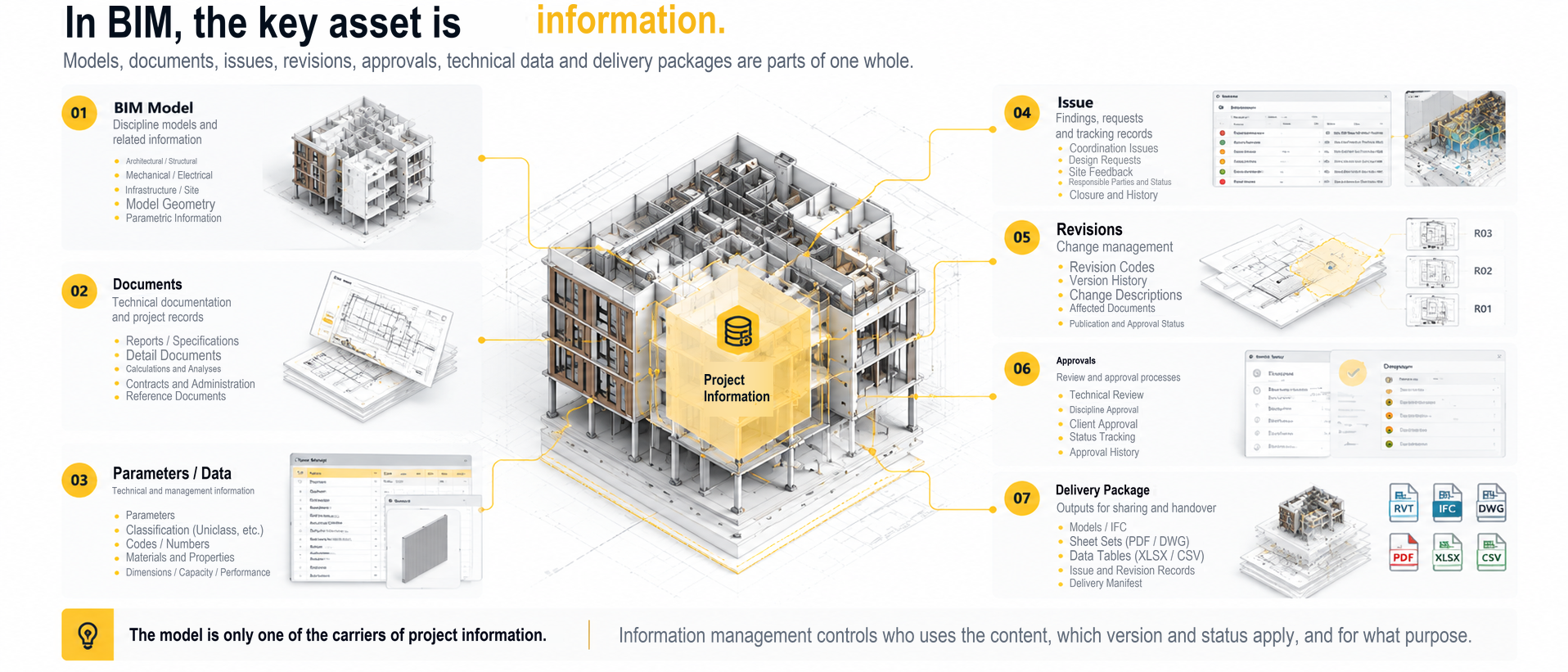
The right information must reach the right person, at the right time and in the right status.
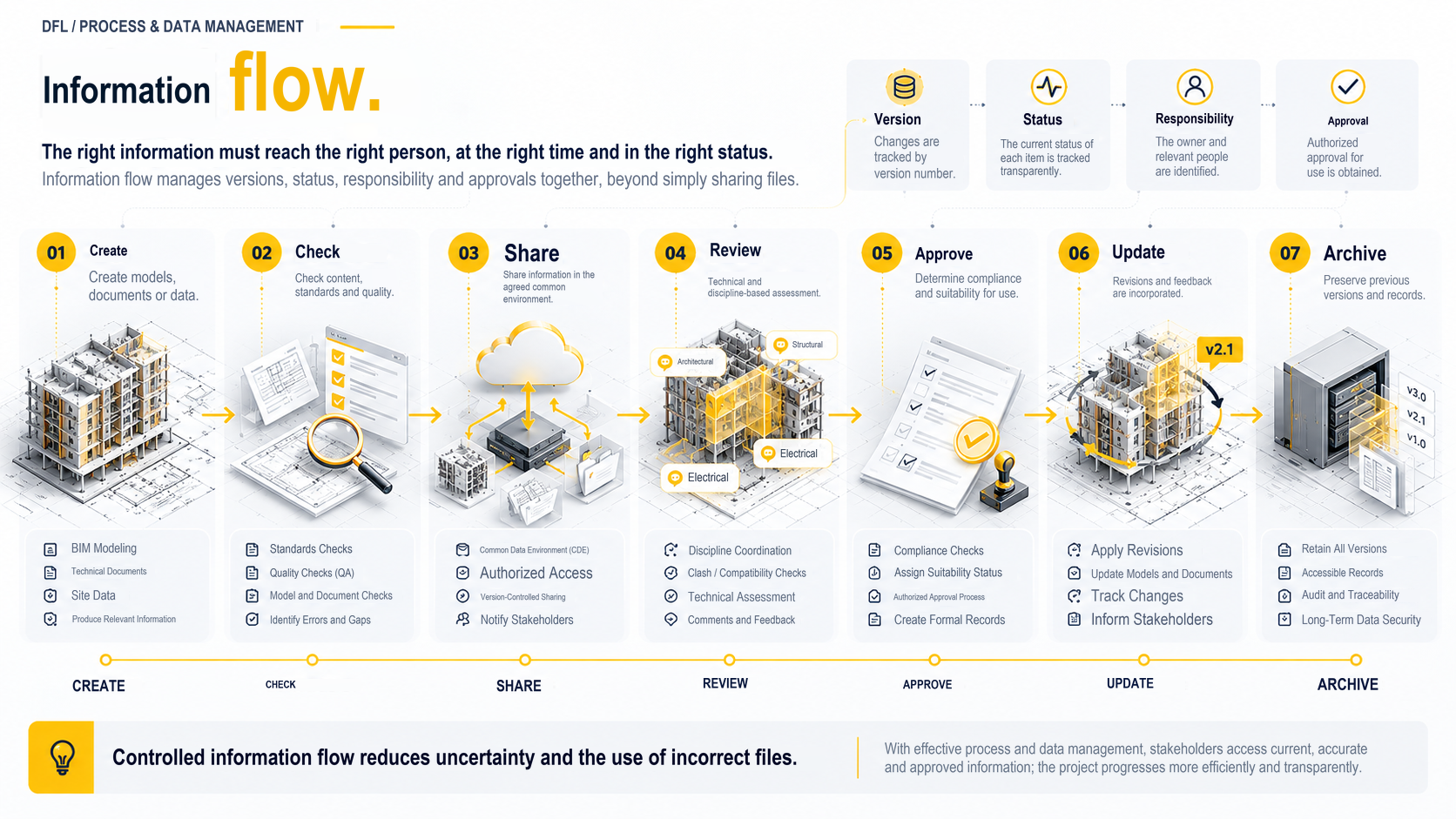
- 01Produce
- 02Check
- 03Share
- 04Review
- 05Approve
- 06Update
- 07Archive
Information flow is more than file sharing. Version, status, responsibility and approval information must be managed together.
A common data environment is more than a file repository.
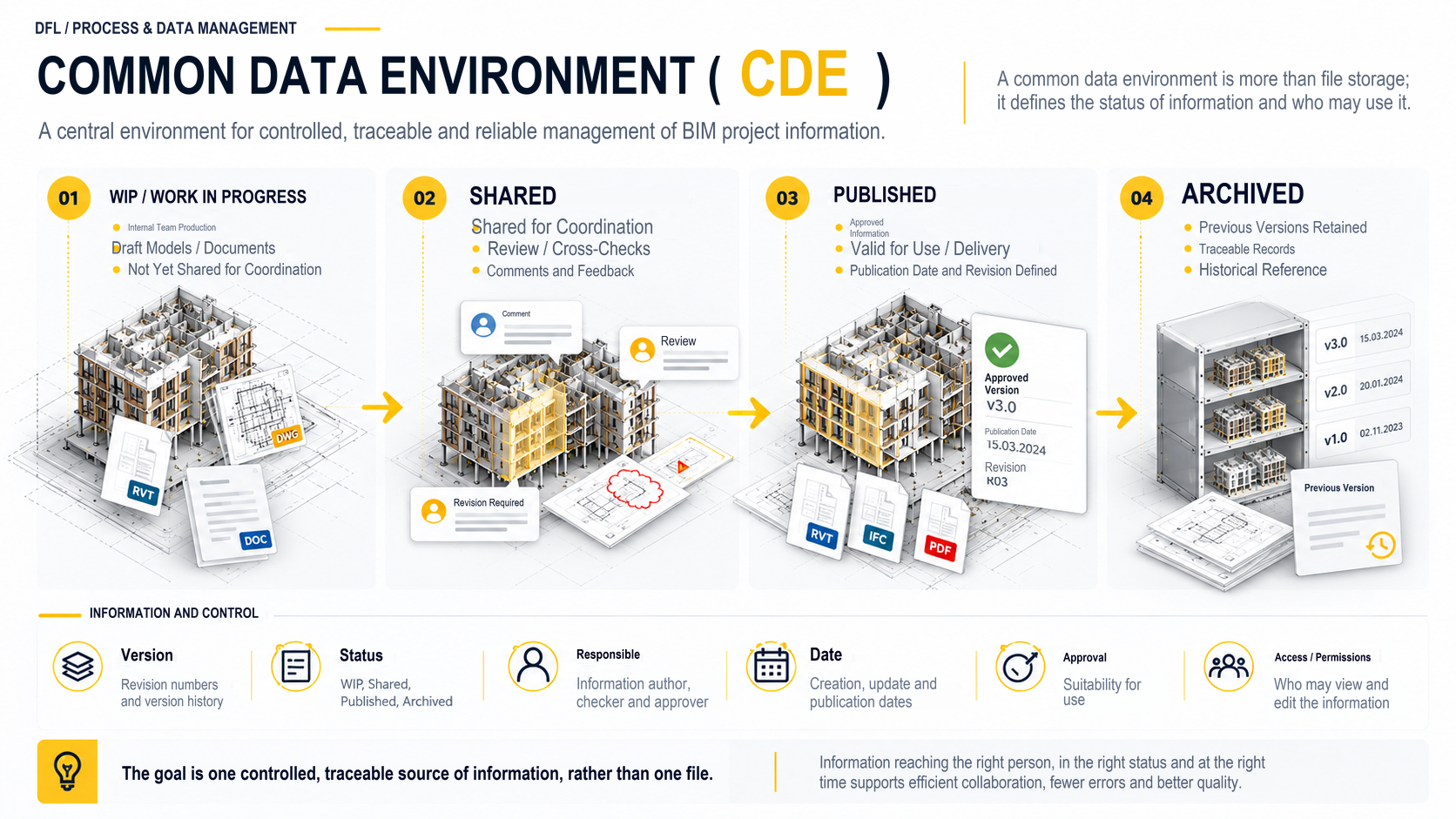
- 01WIP / Work in Progress
- 02Shared
- 03Published
- 04Archived
Information controls
- Version
- Status
- Owner
- Date
- Approval
- Access / permissions
Saying “we will use BIM” is not enough.
At the start of the project, define what will be produced, by whom, for what purpose, at what level of information and in which formats.
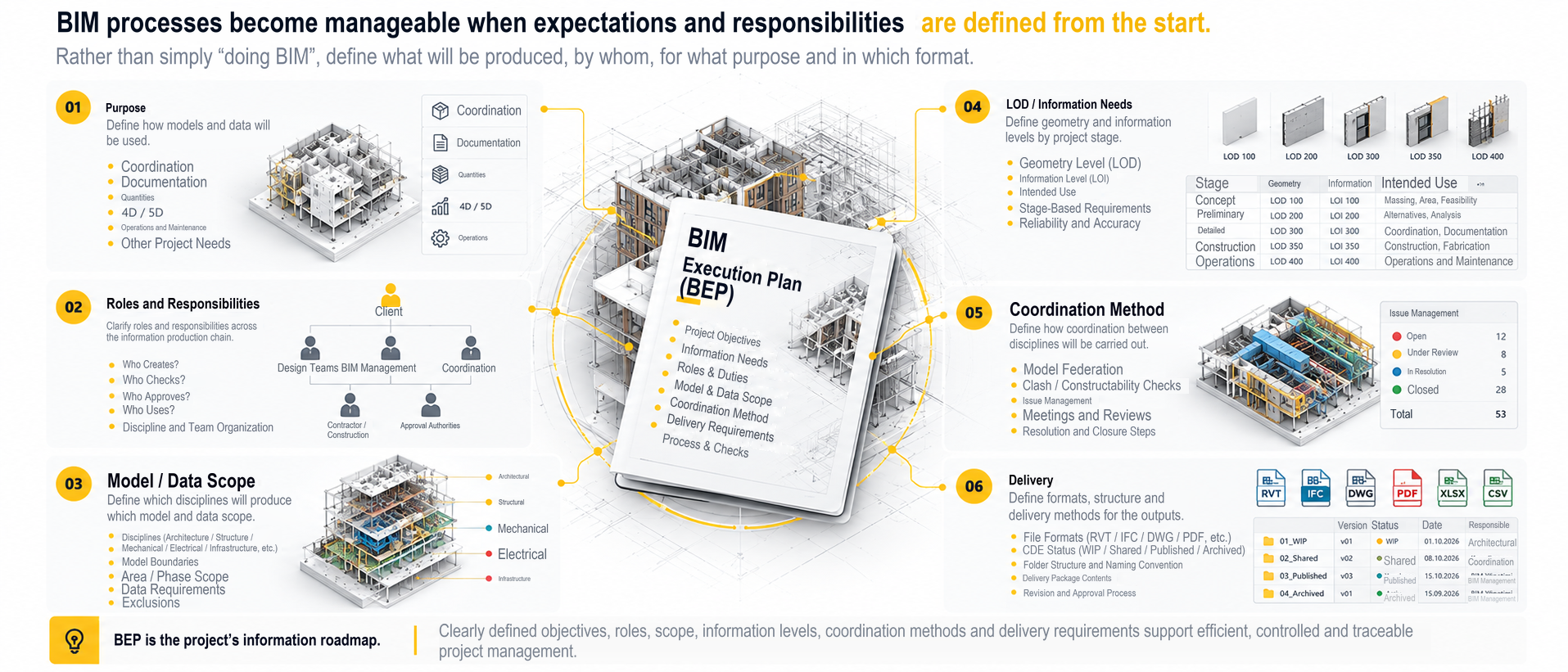
- Purpose
- Roles and responsibilities
- Model / data scope
- LOD / information requirements
- Coordination method
- Delivery
Information production needs clear ownership and responsibility.
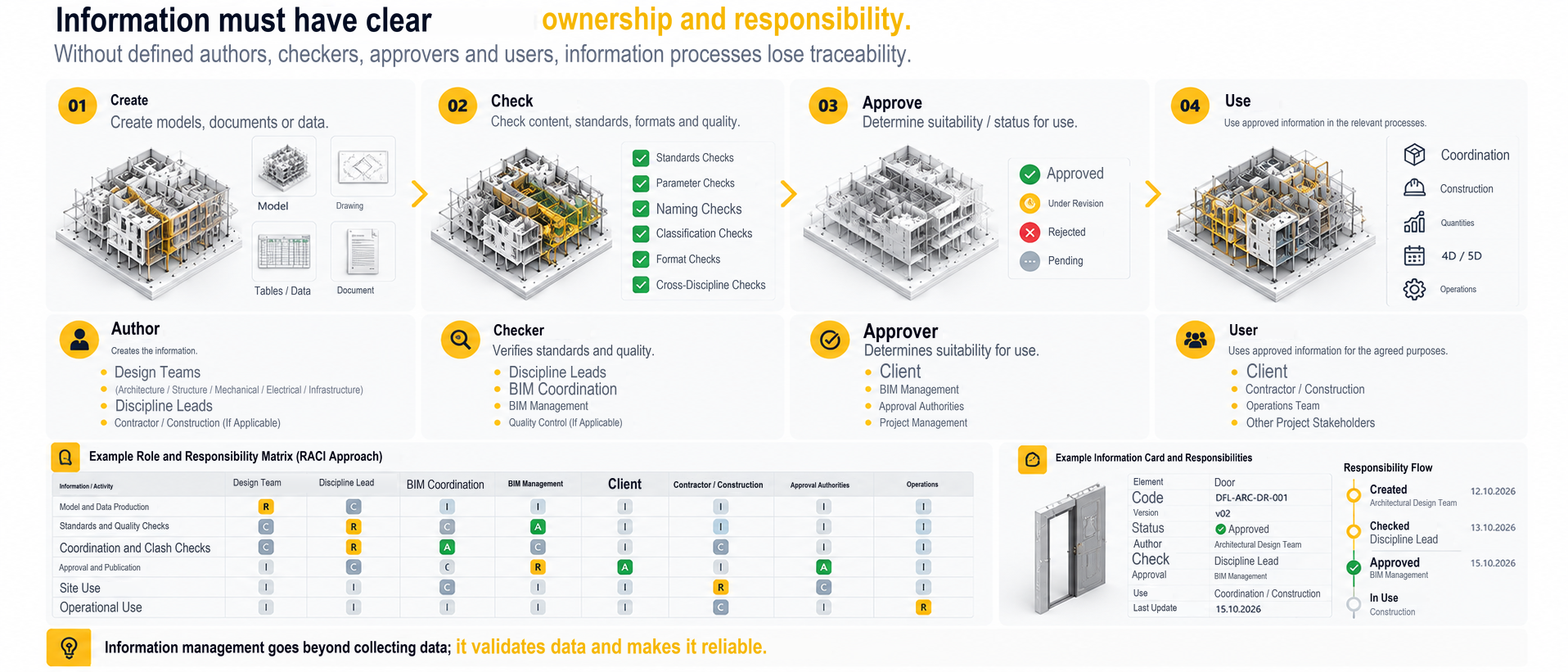
- 01Produce
- 02Check
- 03Approve
- 04Use
- Who produces it?
- Who checks it?
- Who approves it?
- Who uses it?
Example project roles
- Employer
- Design teams
- BIM management
- Discipline leads
- Coordination
- Contractor / construction
- Approving parties
Without standards, data becomes harder to control as a project grows.
- Naming conventions
- Folder structure
- Model naming
- View naming
- Sheet naming
- Parameter standards
- Classification
- Revision coding
- Status / suitability
- Metadata
Model data must follow shared rules.
- Parameter naming
- Shared parameters
- Type / instance distinction
- Classification
- Required / optional fields
- Data completeness
- Validation
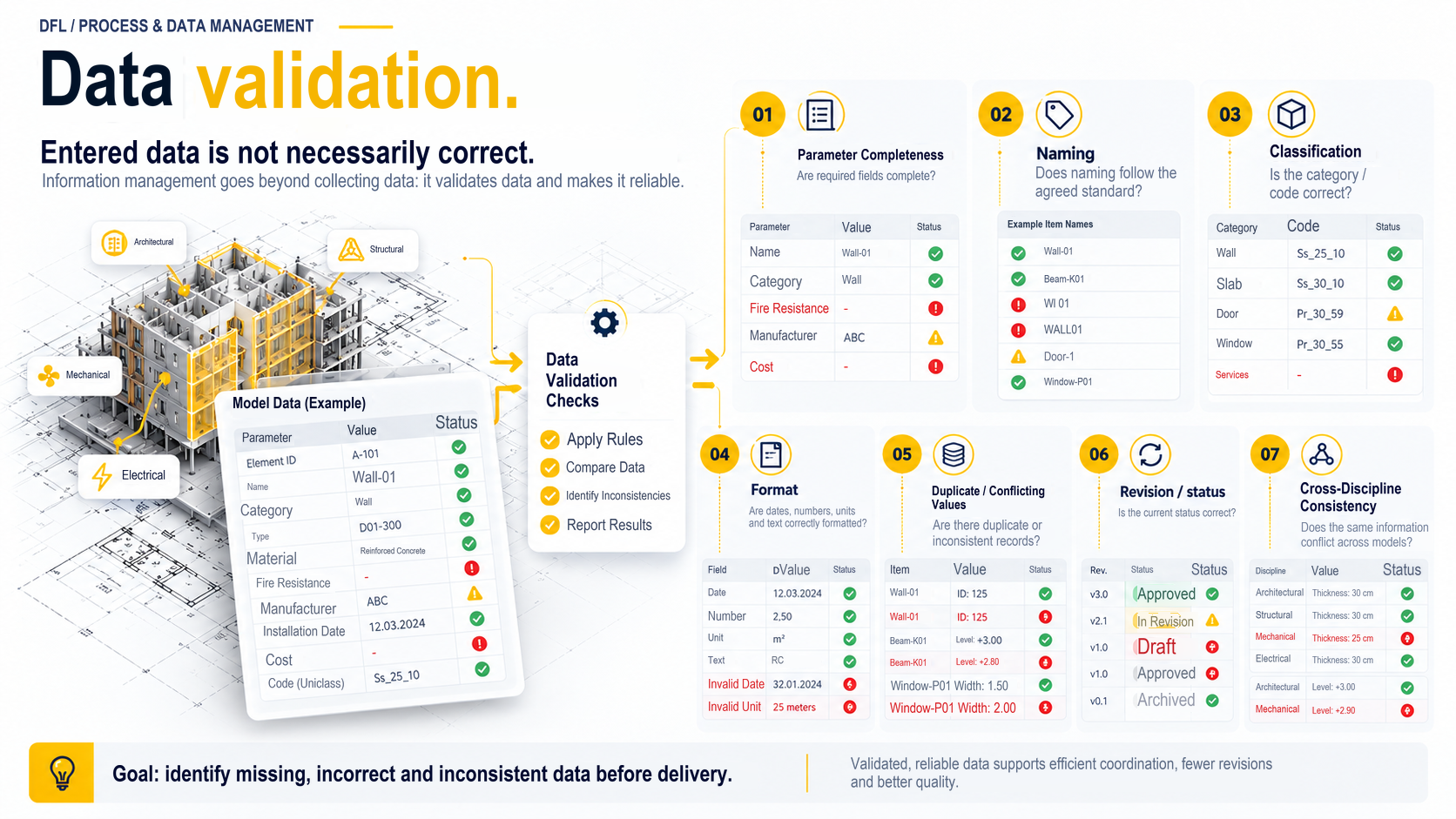
Entered data is not necessarily correct data.
- Parameter completeness
- Naming
- Classification
- Format
- Duplicate / conflicting values
- Revision / status
- Consistency across disciplines
Identifying the current file should not be a matter of debate.
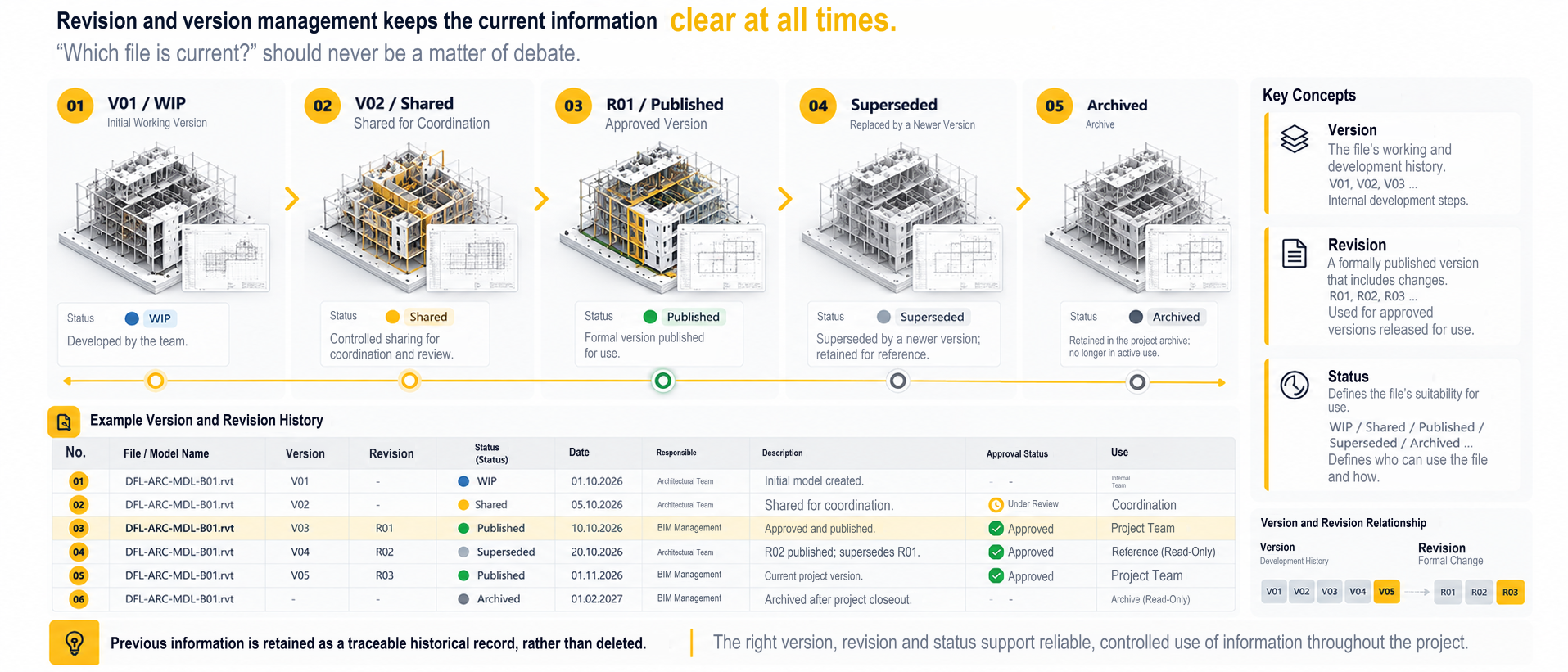
- Version
- The history of work and development.
- Revision
- A formally issued change.
- Status
- The intended usage status, such as WIP / Shared / Published / Superseded / Archived.
Previous information is retained as a traceable historical record rather than deleted.
Delivery is more than sending files.
- Model
- Documents
- IFC
- Data tables
- Issue records
- Revision history
- Delivery manifest
Automation can support repetitive checks.
Checks
- Naming checks
- Parameter completeness
- Model health checks
- Schedule / data checks
Batch export · QA reports
Tools
- Dynamo
- Custom Revit tools
- Scripts / automation
- AI-supported workflows where appropriate
Human judgement
- Engineering assessment
- Exception management
- Approval
- Final decision
Process and data management deliverables tailored to project requirements
- BEP / process documentation
- Naming & data standards
- CDE structure recommendations
- Model / file naming standards
- Parameter matrix
- Validation rules
- QA checklist
- Delivery requirements
- Information exchange rules
Not all these deliverables are required on every project. Scope is defined by project requirements.
Technology and data environments
- Autodesk Revit
- Navisworks
- Autodesk Construction Cloud
- IFC / openBIM
- Dynamo
- Custom Revit tools
- Automation
The value of a BIM process depends on how well its information is controlled.
Let’s define the project information structure, roles, delivery requirements and checking processes together.